Use the brand-design skill to make mascots, sticker-style artwork and icons from your brand contract.
Brand Studio includes a brand-design skill alongside the React component package. Run it in your coding assistant to define an asset, produce files and review the result. The skill uses your brand contract for the palette, shape and image direction.
Install the skill
npx skills add hungduong-projects/brand-studio --skill brand-designIn Codex, invoke $brand-design with a brief and your brand contract. The plugin README covers other supported assistants and installation options.
Mascots
The mascot workflow defines a character from your brand, builds an SVG rig and creates 6 to 10 expression states tied to product moments. A checker reviews the rig and renders SVGs, PNGs and a contact sheet for visual review. Optional 3D rendering requires Three.js.
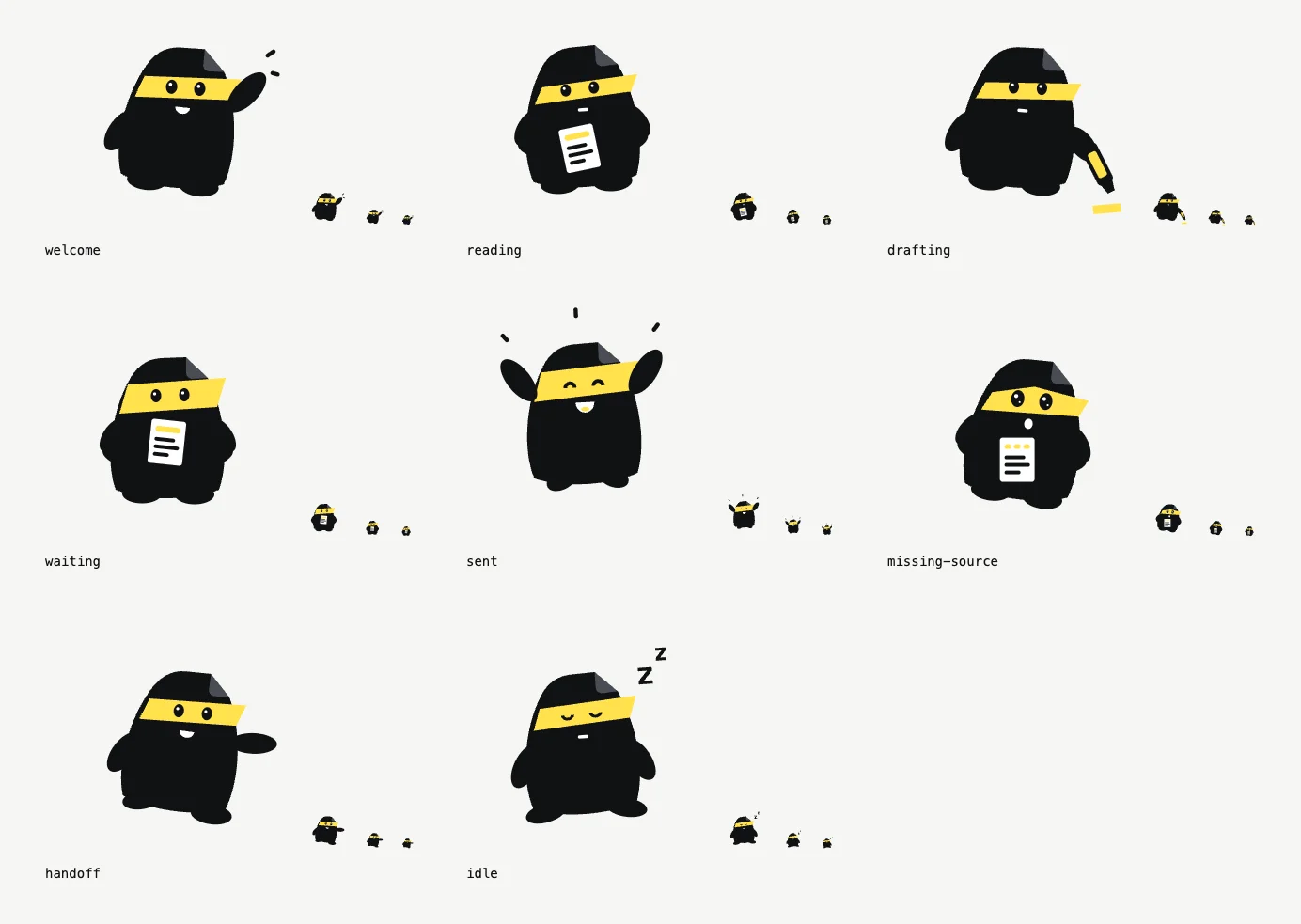
This contact sheet comes from Deskhand, an example product. The full sheet also reviews each state on dark backgrounds, in greyscale and blurred.

Try this brief:
Use the brand-design skill and brand/brand.json to create a mascot for onboarding and completed tasks. Propose two concepts, choose a style that fits the brand, then build expression states. Preserve one silhouette and palette. Show me the contact sheet before integrating it.See the mascot workflow and example rig.
Sticker-style artwork
Sticker is one of the mascot workflow's drawing styles, alongside silhouette, monoline, retro and geometric. Use it for character artwork with a die-cut outline. Export the character states as SVG or PNG and review them at their intended size.
Use the brand-design skill to make a sticker-style mascot from brand/brand.json. Keep its silhouette and palette consistent across expressions. Export SVG and PNG files, and show the light and dark background review.See the style guide and five style examples. Print production needs its own size, bleed and supplier checks.
Icons and app icons
The icon workflow supports outline, solid and duotone UI glyphs. Its checker validates the geometry and exports sprites, app icons and favicons for web, iOS and Android.
Use the brand-design skill and brand/brand.json to create the missing UI glyphs and app icon for this product. Match our existing icon style. Check the glyphs and export the required web, iOS and Android assets.See the icon workflow.
Generated images and animation
When your assistant has an image-generation tool, the skill can guide a generated mascot or other raster artwork. The plugin does not bundle an image-generation service; availability depends on your assistant.
The landing-page mascot is a generated image animated as a whole. Separate blinking, arm movement and expression changes need a layered rig or separate states. Preserve a static version for reduced motion and record the source, prompt and exported files alongside your assets.
For displaying exported artwork, use Brand Image. These creation workflows run in your assistant; this documentation site presents their instructions and examples.