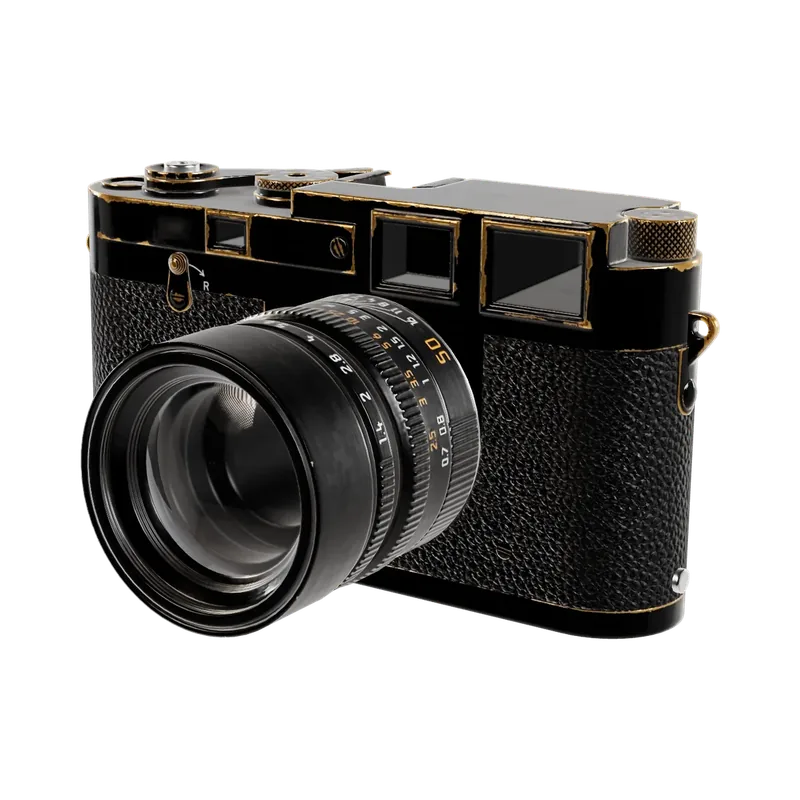
Halden R · Graphite
£1,890
import { BrandImage, Button, TiltCard } from '@brand-studio/ui';
import { cameraViews } from '@/demos/assets';

export default function TiltCardDemo() {
  return (
    <TiltCard style={{ width: '100%', maxWidth: 320 }}>
      <BrandImage asset={cameraViews[0]} sizes="320px" className="demo-tilt-image" />
      <div style={{ padding: '16px 20px 20px' }}>
        <p style={{ margin: '0 0 4px', fontSize: 13, color: 'var(--bs-muted)' }}>Halden R · Graphite</p>
        <p style={{ margin: '0 0 16px', fontSize: 20, fontWeight: 600 }}>£1,890</p>
        <Button shape="pill" style={{ width: '100%' }}>Add to bag</Button>
      </div>
      <style>{'.demo-tilt-image { aspect-ratio: 1; }'}</style>
    </TiltCard>
  );
}Installation
pnpm add @brand-studio/uinpm install @brand-studio/uiyarn add @brand-studio/uibun add @brand-studio/uiInstall the peer dependencies
npm install react react-domImport the stylesheet once
import '@brand-studio/ui/styles.css';Wrap your app in a brand theme
import { BrandTheme, TiltCard } from '@brand-studio/ui';
import brand from './brand.json';

<BrandTheme palette={brand.tokens} mode="system">
  {/* your app */}
</BrandTheme>
Usage
import { TiltCard } from '@brand-studio/ui';<TiltCard max={8}>
<BrandImage asset={camera} />
<p>Halden R · £1,890</p>
</TiltCard>max sets the largest tilt in degrees.
Accessibility
- The content inside is unchanged; the glare is hidden from screen readers.
- Only a mouse tilts it. Touch, keyboard and reduced motion see a flat card.
API Reference
| Prop | Type | Default |
|---|---|---|
max? | number | 8 |
Also accepts every HTMLAttributes<HTMLDivElement> attribute.